The short version
- What it is
- A 4x6 photo printer for your phone
- Connects by
- Charging phone dock or Bluetooth
- Print time
- Under a minute per photo
- Best for
- Families, scrapbookers and photo gifts
- Heads-up
- Each print costs more than a drugstore print
Thousands of photos, and none of them on the fridge
Be honest: when did you last print a photo? Most of us have thousands of pictures on our phones and almost none on the fridge, in a frame or in Grandma's hands. That's the gap the KODAK Dock Plus fills.
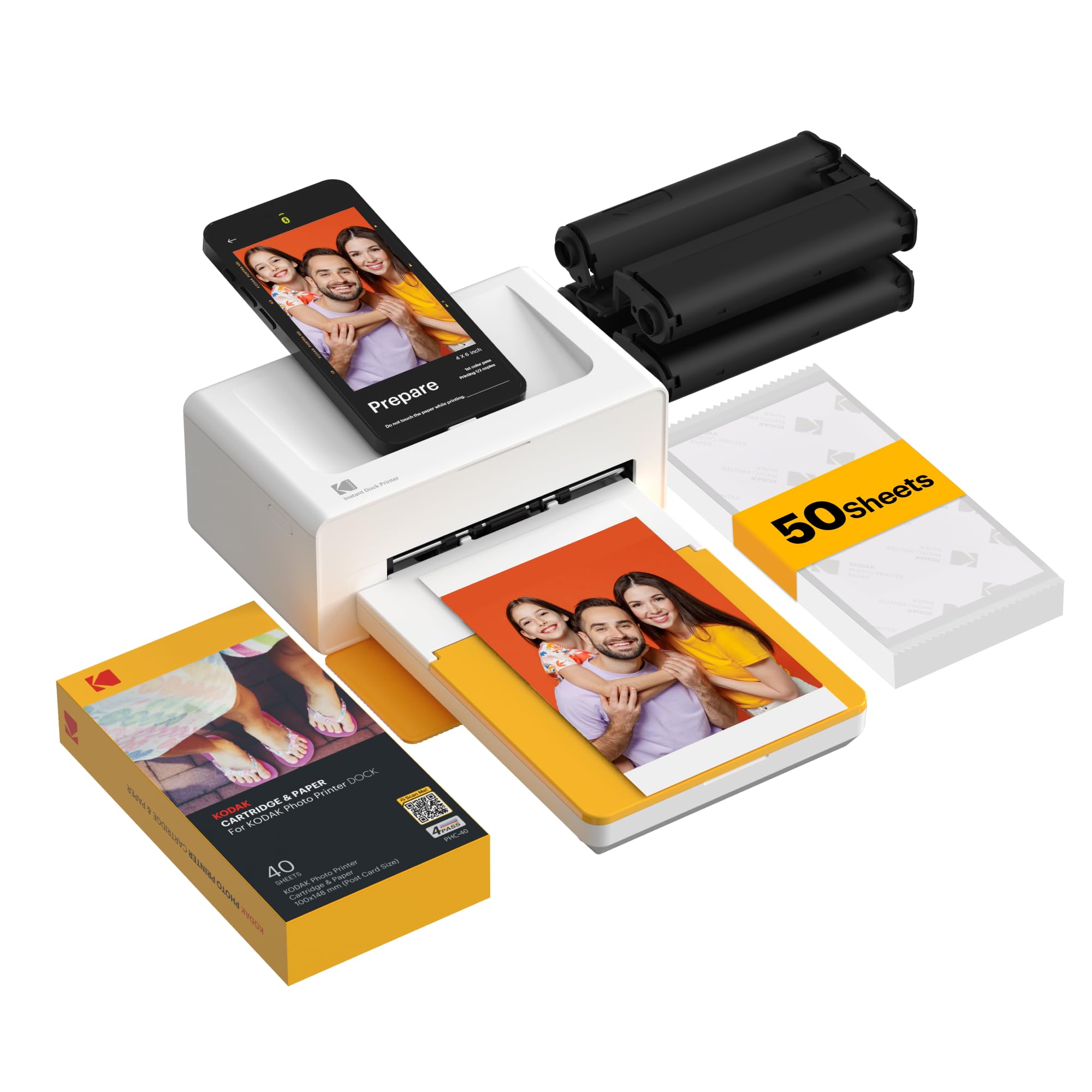
It's a small desktop printer that turns phone photos into real 4x6 prints at home. You set your phone on the dock (or connect over Bluetooth), pick a picture in the Kodak app, and about a minute later you're holding a glossy print.
What we like most is the finish. Each print gets a clear protective coat at the end, so it's made to resist fingerprints, water and fading. That's the difference between a photo that lives on the fridge for years and one that smudges in a week.
I'll say who it's for up front: families who take a lot of pictures, scrapbookers, grandparents who love real prints, and anyone who wants to tuck a personal photo into a holiday card. If you need big prints or a printer for documents, this isn't it.
Prints that look like they came from a photo lab
The Dock Plus uses Kodak's 4PASS dye-sublimation process. Yellow, magenta and cyan go down in separate passes, then a clear layer seals everything in. The result looks smooth and rich, not dotty like a home inkjet print.
Photographer Alison Winterroth has one at home and summed it up: "The colors are vivid, and the details are crisp." She also spilled water on one of her prints, and "it wiped off easily without leaving a mark." We love that for anything headed to a kid's bedroom wall.
Another nice touch: the dock charges your phone while it prints, so a long printing session won't drain your battery.
Ready when you are
Shop at AmazonSmall, personal gifts in about a minute each
This is where the Dock Plus earns its spot on a holiday list. Print the best shot from Thanksgiving dinner and slip it into a card, fill a frame for the grandparents, or make a stack of prints for a scrapbook.
The free Kodak app lets you crop, brighten, add a white border or text, and lay out collages before you print. Each print takes under a minute. Winterroth put it nicely: "It's like waiting for your coffee to brew—by the time you're done scrolling through your phone, your print is ready."
If the grandparents would rather see new photos show up on their own, our guide to digital frames that work without Wi-Fi is a sweet companion gift.
Good to know before you buy
The catch is the running cost. Prints need Kodak's own cartridges, which hold the color ribbon and the paper together. Winterroth worked it out to about 40 to 50 cents a photo and said it's "definitely pricier than going to your local print shop." Grab a refill pack before a big holiday printing session.
It only prints 4x6, and it has to be plugged into the wall (there's no battery). Think move-it-around-the-house printer, not throw-it-in-your-bag printer.
Phones connect through the USB-C dock pin, with a Lightning adapter included for older iPhones, or over Bluetooth with iPhone and Android.
The Amazon listing shows a few bundle sizes on the same page. The one we link is the 50-sheet bundle, so check that before you check out.
Shop at AmazonYour questions, answered
Does it need Wi-Fi?
No. You print from the Kodak app with your phone sitting on the dock or connected over Bluetooth.
Does it work with iPhone and Android?
Yes. The dock has a USB-C pin and Kodak includes a Lightning adapter for older iPhones. Bluetooth works with both.
What size are the prints?
4x6 inches only, the classic snapshot size that fits most frames and albums.
Do I need to buy ink separately?
No. Kodak's cartridges hold both the color ribbon and the photo paper, so a refill pack is all you need.
Is it battery powered?
No. It plugs into the wall, so it's best for printing at home or at a family gathering.
How we checked this
This article is based on published coverage and available product information.
- Alison Winterroth Photography — Review of the Kodak Dock Plus 4Pass Instant Photo Printer ↗ · February 6, 2025
- KODAK Photo Printer — Dock Plus 4x6 Photo Printer PD460 (official store) ↗
- Manufacturer product information ↗
Last editorial update: November 19, 2026. Check the seller for current specifications and availability.
Our editorial approach →


